The 9 Best Coding Agents in 2026, Ranked

Written by
OpenHands Team
Published on
Open a laptop on a normal Tuesday in 2026 and you might find three terminal tabs going at once, one running a migration, one waiting on a code review, and one stalled against a rate limit, with no single view of which agent is doing what. The tools got good fast, but keeping track of them did not.
Coding agents come in two shapes. A pair-programmer runs on your laptop, prompted by hand and watched change by change, which makes a developer faster. An autonomous agent runs in the cloud on a schedule or an event, hands back a pull request (PR), and takes work off the plate entirely as long as runs stay reviewable.
Some tools primarily help one developer work faster. Others help engineering organizations automate and govern software development work across many repositories and teams. Those are related problems, but they're not the same buying decision.
This guide covers why the market looks this way, the five dimensions to compare on, an at-a-glance table, nine ranked agents, how to choose, and how OpenHands connects the agents you already use.
Why the coding-agent market looks like this in 2026
The old assistant-versus-agent framing has dissolved. Almost everything now takes a prompt, keeps context, and chains tool calls toward an outcome. What matters is where the agent runs and how much a human watches, whether that is a pair-programmer you drive on a laptop or an autonomous agent in the cloud on a schedule or an event.
A local assistant makes a developer 20 to 30 percent more productive one prompt at a time. Autonomous agents change the shape of the work, but the ceiling shifts rather than vanishes. Runs still hit review capacity, continuous integration (CI) reliability, model errors, token budgets, and security limits, so the win is more throughput, not unlimited output.
Most teams run more than one tool, and the friction is predictable:
-
Single-vendor model lock-in: one model family, one vendor's limits and pricing, no route to a stronger or cheaper model.
-
Pricing and usage windows: heavy sessions burn tokens fast, and rolling usage windows interrupt a run mid-work.
-
Where the code runs: for regulated teams, where code, execution, and inference happen is part of the buying decision.
-
No built-in automation or multi-agent view: a terminal agent cannot schedule or event-trigger runs, and several become a stack of tabs.
These pressures are why the evaluation below holds every tool to the same five dimensions.
How we evaluated these coding agents
We compared every tool on the same five dimensions:
-
Autonomy and the review loop: a supervised pair-programmer you drive change by change, or an autonomous agent that plans, edits, tests, and opens a PR on its own?
-
Where it runs: terminal, integrated development environment (IDE), web, desktop, cloud, or self-hosted, and whether it works locally, off the laptop, or both.
-
Open source and licensing: is the core open source and inspectable, so a platform team can read and self-host it, or a closed service?
-
Model flexibility: bring your own models and keys, or locked to one provider? A risk decision as much as budget, since a second model reviewing the first catches misses a single family can ship.
-
Pricing and cost fit: cost to start, how token spend scales on heavy runs, and whether there is a path to a team or self-hosted deployment.
Every claim below was checked against each vendor's live product as of July 2026.
The 9 best coding agents compared at a glance
The table maps each tool to the same five dimensions the per-tool sections expand on. These rankings reflect the evaluation criteria in this guide. Different teams may reasonably prioritize different tradeoffs; for example, an individual developer optimizing for editor experience may reach a different conclusion than a platform team optimizing for governance.
| Tool | Autonomy | Where it runs | Open source | Model flexibility | Starting cost |
|---|---|---|---|---|---|
| OpenHands | Platform layer around supervised, scheduled, and event-triggered agents | Local, VM, OpenHands Cloud, and self-hosted | Yes (MIT core) | Model-agnostic, BYOK, ACP to external agents | Free to self-host, paid cloud and enterprise tiers |
| Claude Code | Supervised terminal agent with permission gates | Terminal, IDE, desktop, and web | No (Anthropic-managed) | Anthropic models, Bedrock or Vertex routing | Pro 100 or $200/mo |
| OpenAI Codex | Supervised or delegated agent, local and cloud | CLI, IDE extension, web, app, and cloud | Partial (CLI open, service closed) | OpenAI models | 200/mo across plans |
| Cursor | Editor-first agent plus Cloud Agents | IDE and cloud agents | No (closed IDE) | Claude, an OpenAI model, Gemini, and Composer | Free, Pro 200/mo |
| GitHub Copilot | Assistant with agent modes | IDE, GitHub, and CLI | Partial (Chat extension MIT) | OpenAI models, Claude, and Gemini | Free, Pro $10/mo, up to Enterprise |
| Google Antigravity | Multi-agent, agent-first platform | IDE, desktop, and CLI | No (proprietary platform) | Gemini, plus Claude and GPT-OSS with a key | Free tier, in transition |
| Devin | Fully autonomous cloud engineer | Cloud dashboard and IDE | No (closed, cloud-managed) | Proprietary managed models | From $20/mo plus usage |
| Devin Desktop | IDE agent with Devin Cloud handoff | IDE and Devin Cloud | No (proprietary) | Cognition SWE line, Claude, an OpenAI model, Gemini | Free to $200/mo |
| Aider | Terminal pair-programmer | Terminal | Yes (Apache 2.0) | Any provider, including local, with BYOK | Free, you pay model costs |
Every tool here optimizes for a different layer of the workflow. Some maximize individual developer productivity. Others automate well-scoped engineering tasks. Others help organizations coordinate many agents across repositories. The best choice depends less on benchmark scores than on how your team wants to work.
The 9 best coding agents in 2026, ranked
1. OpenHands
OpenHands is the open-source platform for building and running AI coding agents, built as the platform layer around the individual agents rather than a replacement for them. Its main interface is Agent Canvas, a local-first workspace that runs agents against real code and connects to Claude Code, OpenAI Codex, and Gemini CLI through the Agent Client Protocol (ACP). Start with one local agent and grow into shared automations and org-wide controls, all open source under the MIT license.
Key features:
-
Agent Canvas, a local-first workspace: parallel runs and one view, with the option to extend to a VM, OpenHands Cloud, or self-hosted.
-
External agents over ACP: connect Claude Code, Codex, and Gemini CLI and keep the agent you know.
-
Model-agnostic, bring-your-own-key: Teams can route different workflows to different models. For example, using one model for implementation and another for review.
-
Automations off the laptop: scheduled or event-triggered runs across repositories.
-
A path to governance: the Agent Control Plane at the Enterprise tier adds role-based access control (RBAC), single sign-on, audit logs, budgets, and cost attribution.
Pros:
-
Fully open source and inspectable, so a security team can vet an agent before it ships.
-
Works with the agents, models, and subscriptions you already pay for.
-
One path from a local agent to org-wide controls without switching tools.
Cons:
-
Self-hosting and production deployment take real infrastructure work.
-
Governance controls are a separately licensed Enterprise tier, not the open-source core.
-
Parallel agents have a learning curve after a single chat panel.
Best for: Platform and security-minded teams that want orchestration, visibility, model choice, and deployment control across their existing agents.
2. Claude Code
Terminal-first developers reach for Anthropic's Claude Code when they want a careful, reviewable loop close to the repository, running locally as a command-line interface (CLI) on Anthropic's models.
Key features:
-
Supervised terminal agent: permission-gated edits across CLI, IDE, JetBrains, desktop, and web.
-
Tied to one vendor's stack: Anthropic models on Anthropic infrastructure, routed through Amazon Bedrock or Google Vertex.
-
Long context with compaction: a 200,000-token window by default and a one-million-token window on newer models, compacted near the limit, per Anthropic docs.
-
Anthropic models only: strong on multi-file changes, with no room for another vendor's agent.
Pros:
-
Dependable for debugging, test repair, and long refactors in known codebases.
-
Deep single-session autonomy finishes a multi-file migration in one run.
Cons:
-
Organizations that standardize on a single model family have fewer options to optimize for cost, performance, or independent review.
-
Heavy sessions burn tokens and hit rolling usage windows, with little control over pricing.
Best for: Terminal-first developers who want a reviewable agent for deep, multi-file work in familiar codebases.
3. OpenAI Codex
Teams standardized on OpenAI get a terminal-plus-cloud path through OpenAI Codex, an open-source CLI with a proprietary backing service across web, CLI, IDE extension, app, and application programming interface (API) key use.
Key features:
-
Local and cloud surfaces: edit, test, and commit from the CLI, or delegate longer tasks to cloud sandboxes, with API-key use for CI/CD.
-
Parallel cloud tasks: per-task sandboxes run several long jobs at once, network access off by default.
-
Reported benchmark signal: 83.4 percent on Terminal-Bench 2.1 in a Morph analysis, scoped to that setup.
Pros:
-
Strong at autonomous, long-running tasks you scope precisely and walk away from.
-
Often covered by a ChatGPT plan, with pricing spanning Free, Go at 20, and Pro at 200 per month.
Cons:
-
The model set is closed around OpenAI, so it does not help if you mix providers.
-
Usage runs against a rolling window and token-aligned credits, so heavy users watch limits.
Best for: Teams standardized on OpenAI models, from local terminal edits to delegated cloud runs.
4. Cursor
Editor-first developers who want the agent beside code they can see land on Cursor, the AI-native IDE from Anysphere.
Key features:
-
Editor agent plus Cloud Agents: Agent mode roams while you watch, and Cloud Agents run offline over git worktrees.
-
Deep codebase indexing: Cursor says indexing cut median time-to-first-query from 7.87 seconds to 525 milliseconds, per its indexing blog.
-
Broad model choice: Claude, an OpenAI model, Gemini, plus Anysphere's Composer model and bring-your-own-key.
-
Data-residency options: self-hosted cloud agents keep code and execution in the customer's network.
Pros:
-
Strong multi-file editing and autocomplete, with changes easy to inspect as diffs.
-
Model flexibility, including Claude, so no single-vendor lock-in.
Cons:
-
Credits can burn faster than expected on heavy runs, and plans reach $200 a month at the Ultra tier.
-
Leans toward watched, editor-centered work, with a closed runtime that is not swappable.
Best for: Editor-centered developers after tight, visible iteration, with cloud agents for longer work.
5. GitHub Copilot
GitHub Copilot gives GitHub-centered teams a broad assistant with agent modes around the core GitHub workflow, closer to the assistant side until Agent mode and its Cloud Agent push it into agent territory.
Key features:
-
Assistant plus agent modes: inline suggestions, an in-editor Agent mode, and a Cloud Agent that turns a GitHub issue into a drafted PR.
-
GitHub-native context: semantic indexing and repository data, with enterprise controls and audit logs on paid org tiers.
-
Partially open source: the Copilot Chat VS Code extension is MIT-licensed, and the completion engine and backend stay proprietary.
-
Broad model catalog: OpenAI models, Claude, and Gemini on paid plans.
Pros:
-
A mature autocomplete workflow for routine code, inside a platform GitHub teams already run.
-
Cheap paid entry at 0.01 per credit, per GitHub.
Cons:
-
It leans toward the assistant side, and Agent mode can need hand-holding on long runs.
-
PR-review depth can be thin on complex changes.
Best for: GitHub-centered teams that run their workflow on the platform and layer agent modes on top.
6. Google Antigravity
Developers in the Google ecosystem get an agent-first platform in Google Antigravity, a multi-agent workspace paired with the Antigravity CLI.
Key features:
-
Multi-agent orchestration: supervise several agents from one command center across the IDE, desktop app, and CLI.
-
Beyond Gemini for models: Gemini 3 Pro and Flash, plus Claude Sonnet and Opus and GPT-OSS, with Claude access requiring your own Anthropic API key.
-
Browser-in-the-loop: the agent views and acts on a live preview, which suits front-end iteration.
Pros:
-
Model choice reaches past the Gemini family to selected third-party models.
-
A free tier across major desktop operating systems.
Cons:
-
The platform ties into Google-hosted accounts and services.
-
Mid-transition and still maturing, so the surface may shift.
Best for: Google-ecosystem developers after multi-agent orchestration and browser-aware development in one workspace.
7. Devin
Devin from Cognition is a fully autonomous cloud software engineer that plans, codes, tests, and delivers PRs with minimal supervision, though closed and cloud-managed with no way to read the source or self-host it.
Key features:
-
Hands-off cloud autonomy: planning through PR delivery runs on Cognition's cloud, for well-scoped, repeatable work.
-
Tool integrations: GitHub, Slack, Jira, and Linear.
-
Parallel fleet scaling: many Devin sessions run at once for large migrations and refactors.
Pros:
-
Genuine hands-off delegation on well-defined tasks, saving hours per ticket.
-
A self-serve entry at $20 a month, down from a much higher original floor, with usage billed on top.
Cons:
-
Closed and cloud-managed, with no open-source core or self-hosting path, so a security team cannot read how it behaves.
-
Performance varies depending on repository complexity and how well tasks can be scoped up front.
Best for: Teams comfortable delegating well-defined work to a managed, closed cloud platform.
8. Devin Desktop
Devin Desktop, formerly Windsurf, became Cognition's IDE product after the June 2, 2026 rebrand. It starts in the editor and hands off to Devin Cloud for heavier work.
Key features:
-
IDE with cloud handoff: a full editor running Devin Local, rewritten from Cascade, delegating longer runs to Devin Cloud from the $20 Pro plan.
-
Agent Command Center: manage local and cloud agents from one place, with parallel sessions.
-
Curated model choice: Cognition's own SWE line, Claude, an OpenAI model, and Gemini, without a fully open bring-your-own-key path.
-
Familiar editor base: VS Code-based, preserving extensions, keybindings, and language-server support.
Pros:
-
The editor experience is fast and refined, with a free tier to start on.
-
The handoff to Devin Cloud suits teams already using Cognition's stack.
Cons:
-
Shared ownership with Devin raises roadmap-independence questions, and two renames plus an acquisition in as many years add churn.
-
Model choice stays curated, and paid plans run up to $200 a month.
Best for: Teams wanting a polished IDE with built-in agent delegation, comfortable in Cognition's toolchain.
9. Aider
Git-native developers who prefer diffs over editor panels use Aider as a terminal pair-programmer, free and open source under Apache 2.0, built around a narrow workflow close to git so every change lands as a clean, reviewable commit.
Key features:
-
Git-native by default: each change auto-commits with a sensible message, so git history is the audit trail.
-
Repo map with tree-sitter: works across larger projects without you scoping every file.
-
Broad model support with BYOK: any provider, including local models through Ollama.
Pros:
-
Git-native behavior makes review, diffing, and rollback straightforward.
-
Model and provider flexibility cuts lock-in.
Cons:
-
It assumes terminal comfort and deliberate task framing, with no visual interface or inline completions.
-
Built-in team administration and access controls are limited.
Best for: Solo builders and open-source contributors who want a focused, git-native terminal loop.
How to choose the right coding agent for your team
Let the five dimensions guide the decision more than the brand, and start with the constraint that bites hardest.
If you want a supervised loop close to your code
For watched edits where a human reviews each change, look at Claude Code or Codex in the terminal, Cursor or Devin Desktop in the editor, or Aider for a git-native loop.
If you want autonomous runs that continue after you close the laptop
For scheduled, event-triggered, or off-the-laptop work, look at Devin for closed managed autonomy, Codex or Cursor Cloud Agents for cloud runs, or an orchestration layer that coordinates parallel runs across repositories.
If you want model freedom and no single-vendor lock-in
To move a task to a stronger or cheaper model, Aider and OpenHands are model-agnostic with bring-your-own-key, and Cursor, Antigravity, and Copilot offer multi-model choice inside their own products. Treat it as risk management, since one model writing and a second reviewing catches misses a single family can ship.
If you want open source, self-hosting, or a path to team governance
If a security review, data-residency rules, or org-wide controls shape the decision, the open-source options matter. Aider is Apache 2.0 for a local terminal loop, and OpenHands is MIT-licensed with a path to self-hosting and, at the Enterprise tier, RBAC, single sign-on, audit logs, and budgets. Self-hosting keeps code and execution inside your environment, though inference still leaves it unless you pair a private model.
How OpenHands brings these agents onto one open platform
Each tool here is strong at one layer. The harder problem is running several of them together and taking the work off one laptop without losing control.
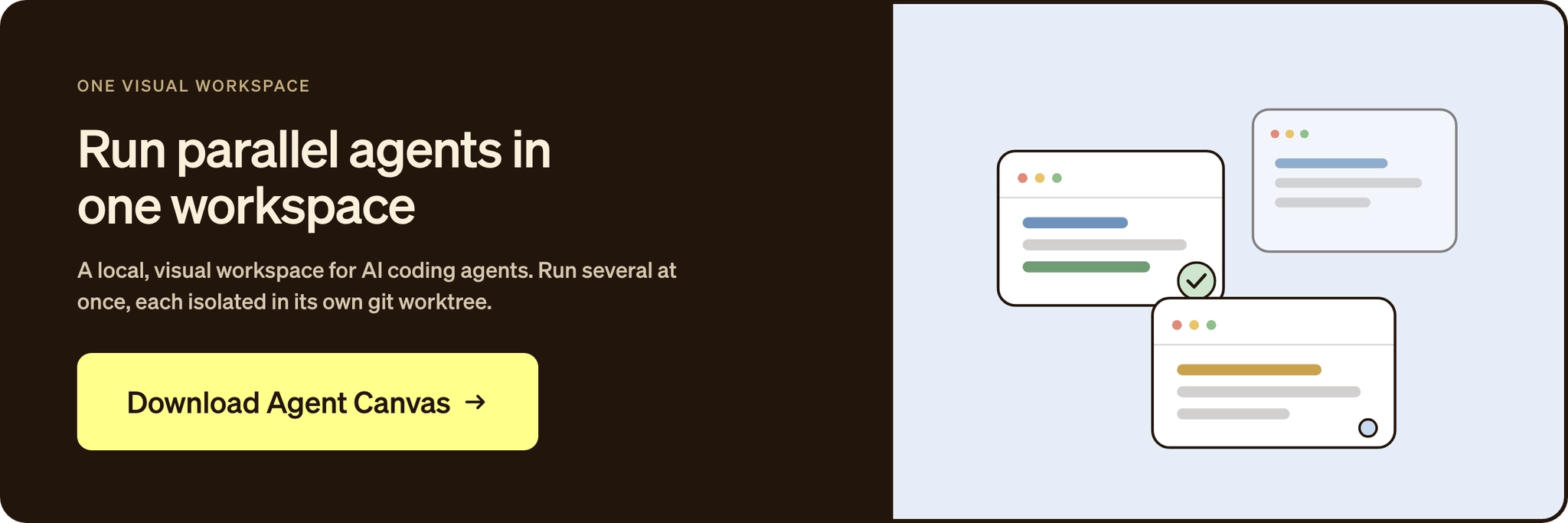
That is where OpenHands fits, as the operational layer around the agents. Through Agent Canvas, it connects to Claude Code, Codex, and Gemini CLI over the Agent Client Protocol, so you keep the tools you know while adding a shared place for automations and team workflows.
The value grows one step at a time:
-
Local: run the full agent experience in Agent Canvas, with parallel agents and a single view.
-
Off the laptop: add a VM or personal cloud, then move to OpenHands Cloud at app.all-hands.dev for always-on runs, scheduled and event-triggered automations, and integrations.
-
Organization-wide: the Agent Control Plane at the Enterprise tier adds RBAC, single sign-on, audit logs, budgets, cost attribution, and self-hosted deployment in your own virtual private cloud (VPC).
Open source lets a platform team read how agents run before anything ships, and bring-your-own-key means different models per workflow. Together they cover the outer-loop work a single agent cannot follow, on infrastructure you control.
Start with the layer, then the logo
No single tool here covers both hands-on local work and the automated runs a team shares. Each is one piece. The real question is what happens when the work must run repeatedly, cross repositories, or pass a security review.
Pick the agent that fits the work today, then give it somewhere to grow. When a pattern is worth running without you, run it through an open platform that makes agent work observable, model-flexible, and controlled. Pick a real ticket and run it through OpenHands. Read the OpenHands manifesto for why openness matters.
Frequently asked questions about coding agents
What is the difference between a coding agent and a coding assistant?
The split is mostly gone. Almost every tool now takes a prompt, keeps context, and chains tool calls. What matters is whether you drive it by hand on a laptop or let it run autonomously in the cloud. For a workspace that runs both, the OpenHands docs walk through the local-to-cloud path.
Which coding agent is best for large or multi-repo codebases?
Many tools target a single repository and a well-defined issue, while production work spans services, packages, schemas, tests, and config. Multi-repo changes need coordination, permissions, and audit trails more than a bigger context window, so a platform that runs parallel agents and scheduled automations across repositories fits better.
Are coding agents safe to use with proprietary or regulated code?
Safety depends on runtime controls, access scope, logging, and deployment model, not the agent alone. Self-hosting can keep the agent runtime and execution environment under your control. Full data containment still depends on model inference, tool access, logging, telemetry, and integrations. The OpenHands enterprise page covers sandboxed execution, scoped permissions, audit logs, and VPC deployment.
Can one platform run Claude Code, Codex, and Gemini together?
Yes. OpenHands connects to Claude Code, Codex, and Gemini CLI through the Agent Client Protocol, so you keep each agent's own model and execution from one workspace. The ACP integration guide covers the connection. The public OpenHands Index compares the models on real engineering tasks.
How much do coding agents cost?
Costs range from free tools where you pay only for model usage, like Aider, to subscriptions such as Claude Pro at 8 to $200 a month, plus token spend on heavy runs. OpenHands is free to run locally, with paid cloud and enterprise tiers on the OpenHands pricing page.
About OpenHands
OpenHands is the open-source platform for building and running AI coding agents, with the interface, automations, and control layer needed to go from a single local agent to a system running across an entire organization. The mission is to make agent-based software development accessible, transparent, and controllable by default. That starts in the open. The core framework is open source, giving developers and platform teams full visibility into how agents execute work and interact with their systems. The project has over 80,000 GitHub stars, over 9 million downloads, and contributions from hundreds of developers. OpenHands is used by engineers at large enterprises and fast-growing startups to build, run, and scale AI coding agents across real software engineering workflows. The long-term vision is to become the full stack AI coding agent platform for software engineering. Not just helping developers write code, but running meaningful parts of the software lifecycle.

Get useful insights in our blog
Insights and updates from the OpenHands team
Sign up for our newsletter for updates, events, and community insights.
OpenHands is the foundation for secure, transparent, model-agnostic coding agents - empowering every software team to build faster with full control.



