Free and Unlimited Copilot Alternatives: 10 Tools Compared (2026)

Written by
OpenHands Team
Published on
GitHub Copilot has a free tier now, and for autocomplete and the occasional chat question it is a good one. The searches for a free, unlimited alternative come from the next problem, which is what happens once you lean on Copilot for more than autocomplete and hit the ceiling on its small request pool.
The word "unlimited" deserves precision here, because a tool can be free, open source, or genuinely uncapped, and those three things are not interchangeable. This article compares ten free Copilot alternatives on the license and cost model, what is actually unlimited, whether the tool is an assistant or an autonomous agent, and how much model flexibility you get.
Why look beyond GitHub Copilot when it now has a free tier
GitHub Copilot's free plan includes up to 2,000 completions per month plus 50 premium requests, where chat interactions and agent mode count against that premium pool, plus Copilot CLI access, Model Context Protocol (MCP) server integration, and a training opt-out. GitHub is also moving premium usage off premium request units to GitHub AI Credits, a shift that starts on June 1, 2026. As a free autocomplete tool it holds up well, and the pressure shows up once your work moves past autocomplete:
-
The request pool is small: Most of the interesting Copilot work happens inside those 50 requests, and a workflow that drifts into chat, edits, or agent mode burns through them faster than you expect.
-
Billing keeps churning: Copilot moved to usage-based AI Credits billing in June 2026, Cursor as of mid-2026 had shifted to compute-based usage, and Windsurf changed hands and names on its way to becoming Devin Desktop.
-
Agentic work is metered everywhere: Copilot has grown real agent features, with agent mode in the editor and a cloud coding agent on paid plans, but the free tier meters all of it inside the same small pool.
That churn sends developers toward free, open-source, and bring-your-own-key tools where the cost model is transparent. Several tools below are assistants in the same vein, a few are agents that complete entire tasks, and one of them, OpenHands, runs those agents in tandem with the Copilot subscription you already have. Developers can keep Copilot for autocomplete and use OpenHands for whole-task agent workflows.
What "free" and "unlimited" actually mean for an AI coding tool
"Free" and "unlimited" don't tell you much on their own, so it helps to look at four things behind those words. The first is how you get the tool and what it costs. A free tier is a free allowance from a company. Open source means the code is public, so you can read it, run it yourself, or change it. Bring your own key (BYOK) means you plug in your own provider account and pay them directly at application programming interface (API) rates, with no markup on top.
The second is what "unlimited" actually covers. It almost always means one cheap thing, usually autocomplete. Agents do a lot more work and cost a lot more, so even an "unlimited" plan still caps them. The only way to get truly unlimited is to run a model yourself, where your hardware is the only limit.
The third is whether it's an assistant or an agent. An assistant helps one step at a time. An agent takes a goal and runs with it, editing files, running tests, and opening a pull request on its own. The fourth is whether you can switch models, so if one plan runs out you can point the tool somewhere else and keep going.
Best free Copilot alternatives compared at a glance
Pricing and free-tier details below are accurate as of mid-2026 and shift often, so treat the table as a snapshot. It maps directly to the four dimensions above, in the same order the per-tool entries use them.
| Tool | License and cost | What's actually unlimited | Assistant or agent | Model flexibility |
|---|---|---|---|---|
| OpenHands | Open source (MIT), BYOK | Local self-host for a single user (free MiniMax usage on Cloud) | Agent (whole tasks) | Any provider via LiteLLM |
| Windsurf (now Devin Desktop) | Proprietary, free tier | Tab completions | Both | Provider models, no BYOK on free |
| Continue.dev | Open source (Apache 2.0), BYOK | Nothing on its own (you pay providers) | Both | Any provider via your key, plus local |
| Cline | Open source (Apache 2.0), BYOK | Nothing on its own (you pay providers) | Agent | Broad provider support, plus local |
| Aider | Open source (Apache 2.0), BYOK | Nothing on its own (you pay providers) | Agent | Wide hosted and local model support |
| Tabby | Open source, self-hosted | Everything (capped by your hardware) | Assistant | Open code models you choose |
| Local models with Ollama | Open source, local | Everything (capped by your hardware) | Depends on client | Local open models |
| Amazon Q Developer | Proprietary, free tier | Nothing fully unlimited (50 agentic requests/mo) | Both | AWS-managed models |
| Cursor | Proprietary, free tier | Nothing on free (limited allowance) | Both | Built-in: OpenAI, Anthropic, Google, xAI, Cursor. BYOK: OpenAI, Anthropic, Google, Azure, Bedrock. |
| JetBrains AI | Proprietary, free tier | Code completion and local-model use | Both | Mellum plus local and BYOK |
1. OpenHands
OpenHands is an open-source platform for AI coding agents that complete whole engineering tasks rather than suggesting lines. You hand it a goal and the agent carries the task through to an opened pull request. Copilot pair-programs with you a step at a time, and OpenHands is the platform you build and run those agents on, with Agent Canvas as the interface, so the two sit in different categories. The practical move is to run them together, with the autocomplete staying in Copilot while the whole tasks go to OpenHands. The outer-loop framing covers where this kind of agent picks up work that leaves the editor.
Key features
-
Connects to any LLM provider LiteLLM supports, so an exhausted Anthropic budget is a switch to OpenAI, then a drop to a cheaper model like MiniMax.
-
Bring-your-own-agent runs the harnesses you already use, including Claude Code, Codex, and Gemini CLI, with the asynchronous agent model post going deeper on how that plays out.
-
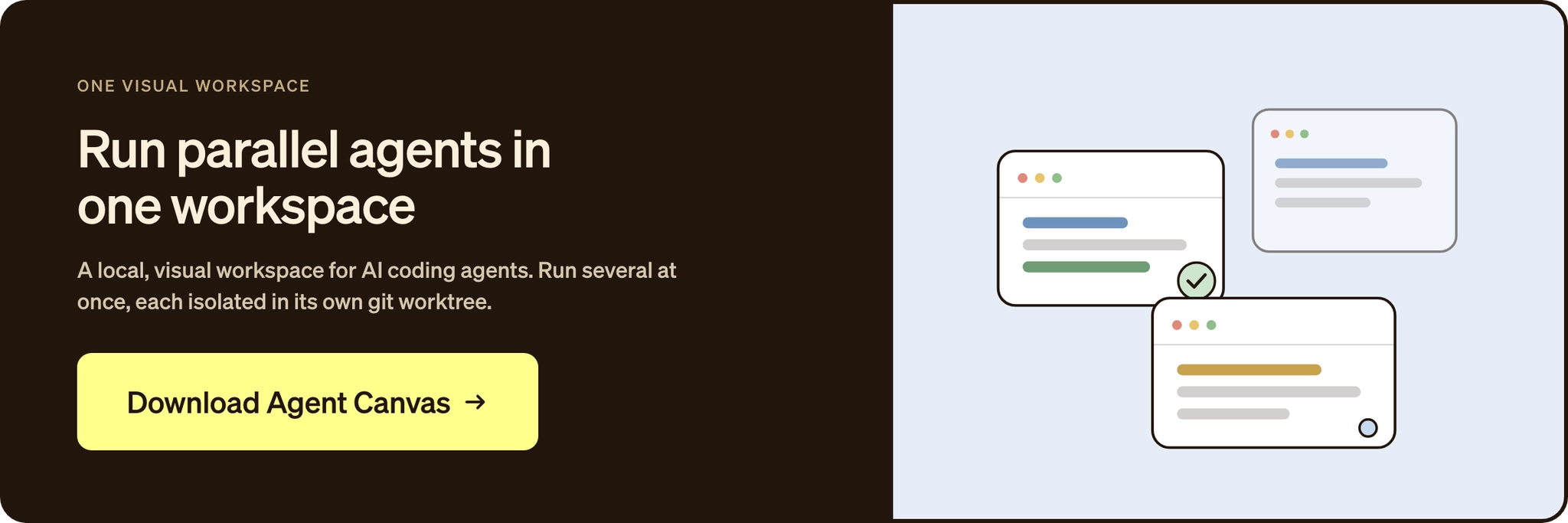
The local open-source version gets you conversations as a single user with no local daily cap through Agent Canvas, the visual workspace that installs without Docker. The platform sets no cap of its own, though agent runs still spend model tokens, local compute, or provider credits.
-
The hosted OpenHands Cloud free tier is free for individuals but not unlimited, with heavier use covered by BYOK or at-cost provider models.
Pros
-
Open source under MIT, with every reasoning step and execution action you can read.
-
Model-agnostic across every provider LiteLLM supports, which makes switching models a one-line change when a plan runs out.
-
Connects to the CLI agents you already subscribe to instead of asking you to drop them.
Cons
-
Agent runs consume real tokens. The uncapped part is the self-hosted platform itself, and model spend still depends on the provider and plan behind it.
-
It is an agent platform, and developers who only want inline suggestions are better served by an autocomplete tool.
-
Getting value past a single local agent takes more setup than installing an editor extension.

Best for
Developers and teams ready for more than free autocomplete, who would rather review a finished pull request than type the code and switch models the moment one plan runs out. It works alongside Copilot instead of replacing it, which is also how the OpenHands community approaches the tools you already use.
2. Windsurf (now Devin Desktop)
Windsurf is the AI-native IDE that Cognition rebranded as Devin Desktop in June 2026, and the windsurf.com domain now points to the new product. The free tier carried through the rebrand, so as of mid-2026 it is still built around unlimited Tab completions. Cognition is also the company behind Devin, which is a platform consideration if you care who owns the tooling you build on.
Key features
-
The free plan centers on unlimited Tab completions, with unlimited inline edits alongside them.
-
Agent work runs through Devin Local, which Cognition describes as the rewritten successor to the Cascade agent, and usage beyond Tab is metered.
-
Model selection on the free plan runs through the vendor's own setup, with no room for your own key.
Pros
-
Unlimited Tab completions on the free plan, the standout free feature in this list.
-
Clean, responsive AI-native IDE for developers who want completions front and center.
-
Fully backwards-compatible with Windsurf through the 2026 rebrand, per the announcement.
Cons
-
Agent usage past Tab is metered, so the "unlimited" claim covers autocomplete only.
-
No bring-your-own-key on the free plan, which leaves model flexibility trailing the open-source options.
-
Two renames and an acquisition in as many years add churn around the product's direction.
Best for
Anyone whose priority is top-quality unlimited inline autocomplete in a clean IDE and who is fine working within metered agent quotas. It makes a strong free autocomplete layer to pair with an agent like OpenHands for the heavier task work.
3. Continue.dev
Continue.dev, now acquired by Cursor, is an Apache 2.0 open-source AI coding tool, with extensions for VS Code and JetBrains built around model flexibility. The company pivoted in 2025 toward continuous integration (CI) checks and cloud agents, and the IDE extensions got a final major release, so they still work on your own provider keys even though they are no longer the core product.
Key features
-
Routes to OpenAI, Anthropic, Groq, Together AI, OpenRouter, and more, with local models through Ollama.
-
Runs on provider keys you configure yourself, with no usage cap of its own beyond what your provider charges.
-
The hosted Continue platform is a separate paid product, where managed BYOK is a Company-tier feature.
Pros
-
Open-source extension with configurable provider routing across many models.
-
Supports a wide range of hosted and local providers, including Ollama for offline use.
-
Works across both VS Code and JetBrains.
Cons
-
Manual model and provider configuration is more involved than a turnkey commercial IDE.
-
Continue's main investment now goes to its CI checks platform, with the IDE extensions left in maintenance mode.
-
Hosted-platform extras such as shared agents and managed BYOK sit on paid tiers.
Best for
Hands-on developers who prefer a configurable, open-source in-IDE assistant wired to their own provider keys and are fine adopting a tool whose maker now leads with CI automation.
4. Cline
Cline is an autonomous coding agent for VS Code, open source and Apache 2.0 licensed. It works as a full agent, handling multi-file edits and live terminal commands inside the editor, and it runs on a BYOK model where you pay your provider directly for inference.
Key features
-
Multi-file edits with linter-aware fixes, diffs, checkpoints, and one-click undo, plus live terminal command execution.
-
Supports Anthropic, OpenAI, Google, Amazon Web Services (AWS) Bedrock, Azure, Ollama, DeepSeek, xAI, Mistral, OpenRouter, and any OpenAI-compatible API.
-
Free as a tool, with inference billed at provider rates for whatever model you connect.
Pros
-
Open-source agent with a Plan mode that separates planning from code changes.
-
Broad provider support, including local and OpenAI-compatible APIs.
-
Full BYOK control over which model runs each task.
Cons
-
Long agentic sessions get expensive, since every step bills against your own provider key.
-
You manage your own model spend, with no built-in budget pooling on the free path.
-
Team-oriented controls like centralized billing and role-based access start at the paid Teams tier.
Best for
VS Code developers who want a capable autonomous agent with full BYOK control and are willing to manage their own model spend.
5. Aider
Aider is a git-aware AI pair programmer that runs in the terminal, a BYOK agent released as open source on Apache 2.0. Every change it makes lands as a single atomic commit with an LLM-written message, so you can review and undo any session.
Key features
-
Connects to Claude, GPT, Gemini, and DeepSeek model families plus local models through Ollama, with mid-session model switching by slash command.
-
Free as a tool, with hosted model usage paid through whichever provider you connect and local models cutting that spend down.
Pros
-
Git-native by design, with every change captured as a clean commit.
-
Vendor-agnostic model support across hosted and local providers.
-
Small, fast CLI workflow with no editor dependency at all.
Cons
-
You cover the token costs directly, and a long session across a big repo adds up fast.
-
Best fit is git-native workflows, and teams on other version-control systems will feel the mismatch.
-
Steeper terminal learning curve than editor-integrated tools, with no turnkey IDE surface.
Best for
Developers who live in the terminal, want tight git integration, and value a small, vendor-agnostic tool that stays fast and points at any model.
6. Tabby
Tabby is an open-source, self-hosted AI coding assistant from TabbyML, built to run on consumer-grade graphics processing units (GPUs) with no external database or cloud dependency. Because you run it on your own infrastructure, it is one of the few tools here where nothing meters your usage at all.
Key features
-
Self-hosted completions for VS Code, Neovim, and IntelliJ Platform IDEs.
-
Supports open code models including StarCoder2, DeepSeekCoder, and Qwen2.5-Coder, so you pick what fits your hardware.
-
No vendor quota anywhere in the picture, only the GPU capacity you bring.
Pros
-
Runs entirely on your infrastructure and keeps code inside your environment.
-
No usage cap of any kind, because no vendor plan sits between you and the model.
-
Covers the three major editor families, so most teams can adopt it without switching tools.
Cons
-
GPU capacity decides how responsive the setup feels and which local models you can run.
-
Tabby covers completions and chat, and whole-task agent work sits outside its scope.
-
Standing up the server, picking a model, and keeping it updated all land on you.
Best for
Teams in privacy-sensitive or regulated environments who need self-hosted, air-gappable completions and have a GPU to spare.
7. Local models with Ollama
Ollama is a local LLM server that runs models on your machine and serves inference at localhost:11434 by default. It is open source and local, and on its own it is a backend you wire in as the model layer behind Continue, Cline, Aider, or JetBrains.
Key features
-
Runs popular coding models including qwen2.5-coder, deepseek-coder, starcoder2, and codestral, fully offline for sensitive work.
-
Setup is a single ollama pull command, after which clients connect to the local endpoint.
-
Whether you get assistant or agent behavior depends on the client you point at it.
Pros
-
Fully offline operation and data privacy, with zero API cost after the hardware purchase.
-
Unmetered local inference that costs the same whether you run ten prompts or ten thousand.
-
Works as a shared backend for several coding clients.
Cons
-
Hardware is the practical ceiling, since larger local models need real memory and compute.
-
It is a backend, so agent behavior depends entirely on the client you connect.
-
Local model quality still trails the top hosted frontier models.
Best for
Privacy-first developers running everything offline who have the GPU for a zero-cost local model backend, wired into a client like Continue or Cline.
8. Amazon Q Developer
Amazon Q Developer is AWS's AI coding tool, formerly Amazon CodeWhisperer, available as both an assistant and an agent and integrated deeply with AWS services. Its free tier is real, though small. The cap sits at 50 agentic requests per month, so nothing here is fully unlimited.
Key features
-
The free tier covers up to 1,000 lines of Java code transformation per month, plus general Q&A and error diagnosis in the AWS console.
-
Runs across JetBrains, VS Code, and Visual Studio, always on AWS-managed models since BYOK is not offered.
-
The tier is perpetual through an AWS Builder ID, with no trial clock attached.
Pros
-
Strong native integration with AWS services.
-
Available across JetBrains, VS Code, and Visual Studio.
-
Perpetual free tier through an AWS Builder ID.
Cons
-
Restrictive free tier that caps agentic work at 50 requests per month.
-
Fixed monthly caps on Java code transformation on top of the agentic limit.
-
Best suited to developers building primarily on AWS.
Best for
Developers building heavily on AWS who want native integration and whose usage fits inside a modest free allowance.
9. Cursor
Cursor is a polished, VS Code-based AI IDE with strong codebase context and multi-file editing, and it works as both an assistant and an agent. Its free Hobby plan offers a limited allowance for completions and agent use, with no uncapped feature anywhere on it.
Key features
-
Models from OpenAI, Anthropic, Google Gemini, and xAI, plus an Auto option that picks for you and BYOK support.
-
Agent and Composer modes handle multi-file editing, and Tab completions run on Cursor's own Tab model.
-
That model folds in work from the Supermaven team, which joined Cursor in 2024, and heavier use falls under usage-based billing once the free allowance runs out.
Pros
-
Deep codebase context and multi-file editing that cut time on boilerplate and debugging.
-
Wide model choice across providers, with BYOK supported.
-
Hobby plan covers light use without a paid commitment.
Cons
-
Free usage covers light work only, and there is no unlimited agent tier.
-
Usage-based billing can feel unpredictable for developers expecting flat request limits.
-
Heavy Agent and Composer use pushes you off the free allowance quickly.
Best for
Developers after a capable AI IDE who either keep usage light enough for the free tier or are comfortable with usage-based billing for heavier work.
10. JetBrains AI
JetBrains AI brings in-IDE AI assistance to JetBrains IDEs and includes the Junie agent, so it covers both assistant and agent work. Its free tier stands out for unlimited code completion and unlimited local-model use, which makes it one of the better free options if you already live in IntelliJ or PyCharm.
Key features
-
AI Free includes unlimited code completion powered by Mellum and unlimited local models via Ollama, LM Studio, and OpenAI-compatible servers.
-
The plan adds 3 AI Credits per 30 days for cloud models, with your own provider keys connectable on top.
-
JetBrains also open-sourced the Mellum completion model itself.
Pros
-
Unlimited code completion and unlimited local-model use on the free tier.
-
Deep native integration across the JetBrains IDE suite, with no training on your code.
-
BYOK available for outside providers, plus local routing through Ollama and LM Studio.
Cons
-
Only 3 cloud AI Credits per 30 days, which a few days of occasional cloud use can exhaust.
-
AI Free is unavailable in Android Studio and the free Community editions, so check that your IDE qualifies.
-
Cloud-heavy workflows are a poor fit for the free tier without local models.
Best for
JetBrains IDE users looking for unlimited completions and free local-model use, paired with Ollama to work around the tight cloud-credit allowance.
How to choose a free, unlimited Copilot alternative for your workflow
The right pick comes down to the same four dimensions the tools were compared on, read against how you actually work.
If you want the closest free Copilot replacement, Cursor and Windsurf (now Devin Desktop) are the nearest in-editor swaps, with Windsurf's unlimited Tab completions the edge on free autocomplete and JetBrains AI the pick if you live in IntelliJ or PyCharm. Autocomplete is the only part these free tiers leave uncapped.
If you need privacy, offline use, or self-hosting, Tabby covers self-hosted completions and Ollama a fully offline model backend. These are the only options that take the quota question off the table, and for regulated teams they are often the only category that clears procurement.
If you want more than autocomplete, Cline gives you a BYOK agent in the editor and Aider one in the terminal, both with your own model spend to manage. OpenHands runs agents end to end across repositories on any provider LiteLLM supports, and it folds your existing CLI agents into one platform.
Where OpenHands fits for developers who want more than free autocomplete
"Unlimited" in this category almost always means unlimited autocomplete. The moment you want an agent to do real work, such as fix a bug and open the pull request, you are back inside someone's quota or watching a token meter climb. OpenHands is built for that work, and the OpenHands manifesto lays out the open approach behind it. It runs in tandem with Copilot rather than replacing it, and the platform is free to self-host, which puts the limit on your own infrastructure instead of a vendor's billing change.
The payoff grows once agent work stops being a one-off prompt. Repeated tasks become automations that run on a schedule or in response to events, so a code review or a dependency bump kicks off while you are doing something else. As more of the team picks up agents, the agent control plane adds shared visibility and access controls that single-laptop setups never need. For an engineering organization that wants budgets, audit logs, and self-hosting on its own terms, enterprise governance is the scale path.
Your free Copilot alternative stack, layer by layer
The decision is simpler than a ten-tool field suggests. A free autocomplete layer like Copilot or Windsurf covers the typing, an agent picks up the tasks that never reach the top of your list, and a self-hosted option comes in only when privacy or hardware control demands it. One week of real work will tell you more than any comparison post, this one included.
Pick the autocomplete layer first, since the free tiers cost nothing to trial, then put an agent on a real task. Install the open-source OpenHands release and hand it the first bug you would rather not fix by hand.
Frequently asked questions about free Copilot alternatives
Is GitHub Copilot free?
Yes, and for everyday autocomplete it rarely feels limited, since the squeeze is the small monthly pool of chat and agent requests that one heavy week can drain. You have outgrown it when you catch yourself rationing chat questions to save room for agent work, and what changes at that point is covered in the write-up on vibe coding and code quality.
Is there a truly unlimited free Copilot alternative?
For autocomplete, yes, since JetBrains AI and Windsurf (now Devin Desktop) both offer unlimited completions on their free tiers. Truly uncapped usage of any kind takes a self-hosted tool like Tabby or Ollama, and the local open-source version of OpenHands is also uncapped for a single user, while its Cloud free tier is a free starting allowance rather than an uncapped one.
What is the best free Copilot alternative for VS Code?
Cline is the strong pick for an open-source agent inside VS Code, and Continue.dev fits if you want a configurable assistant wired to your own provider keys. For whole tasks run rather than lines suggested, OpenHands works alongside your VS Code setup, and the OpenHands Index compares how models handle real coding tasks.
Can I use a self-hosted Copilot alternative for free?
Yes. Tabby runs on your own hardware with no usage cap, Ollama serves local models at zero API cost, and OpenHands is MIT-licensed and free to self-host, so in every case you pay only for hardware or tokens. If you would rather skip self-hosting, the OpenHands pricing page compares hosted options, including a free Cloud tier and at-cost models with no markup.
About OpenHands
OpenHands is the open-source platform for building and running AI coding agents, with the interface, automations, and control layer needed to go from a single local agent to a system running across an entire organization. The mission is to make agent-based software development accessible, transparent, and controllable by default. That starts in the open. The core framework is open source, giving developers and platform teams full visibility into how agents execute work and interact with their systems. The project has over 78,000 GitHub stars, 9 million downloads, and contributions from hundreds of developers. OpenHands is used by engineers at large enterprises and fast-growing startups to build, run, and scale AI coding agents across real software engineering workflows. The long-term vision is to become the full stack AI coding agent platform for software engineering. Not just helping developers write code, but running meaningful parts of the software lifecycle.



Get useful insights in our blog
Insights and updates from the OpenHands team
Sign up for our newsletter for updates, events, and community insights.
OpenHands is the foundation for secure, transparent, model-agnostic coding agents - empowering every software team to build faster with full control.



