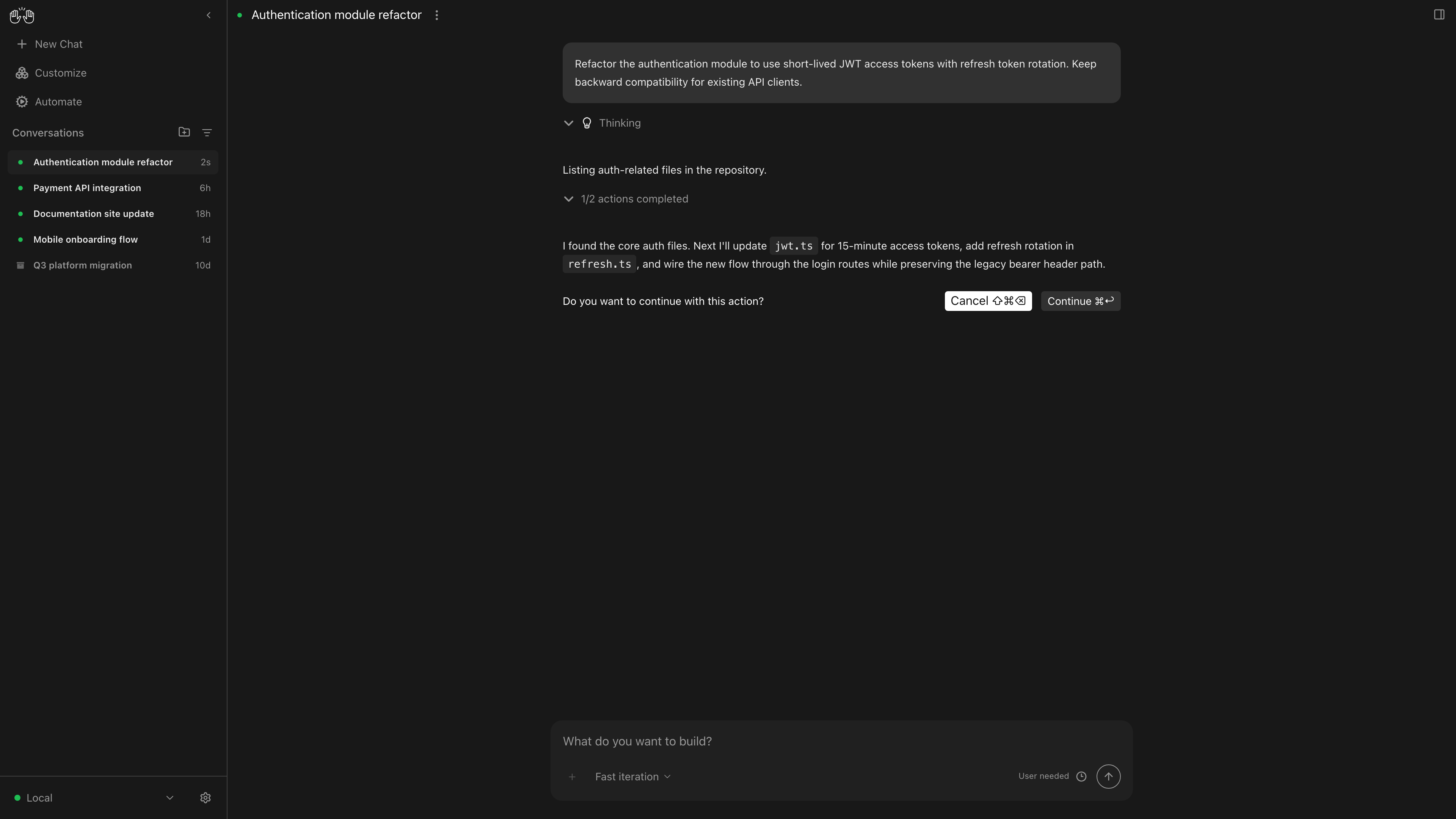
Parallel agents, not single sessions
Run multiple agents simultaneously, each isolated in its own git worktree. All visible from one interface.
Install on your laptop, connect the agents you already use, and start.
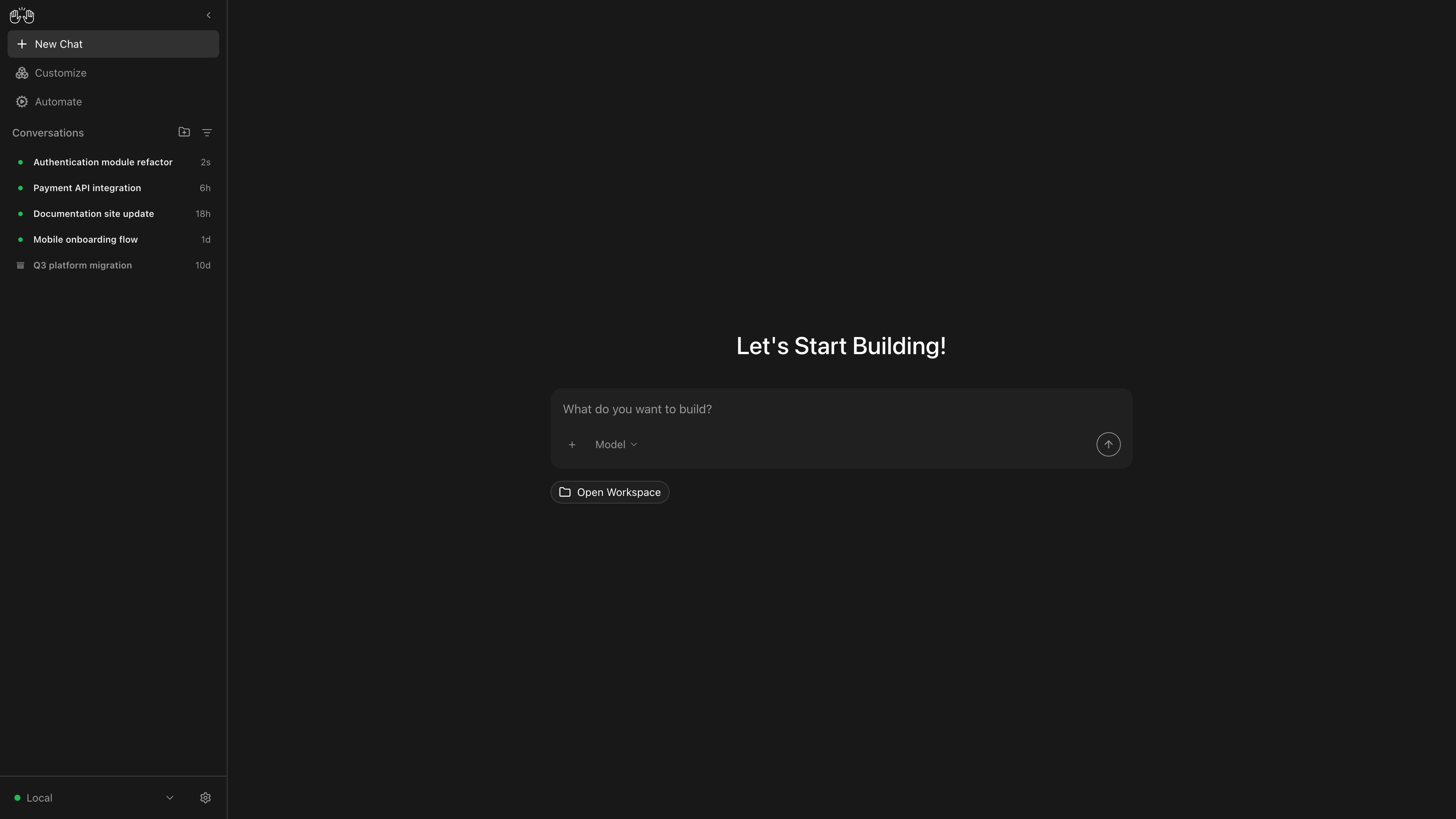
OpenHands Agent Canvas home with conversations
More than a new UI
Run multiple agents simultaneously, each isolated in its own git worktree. All visible from one interface.
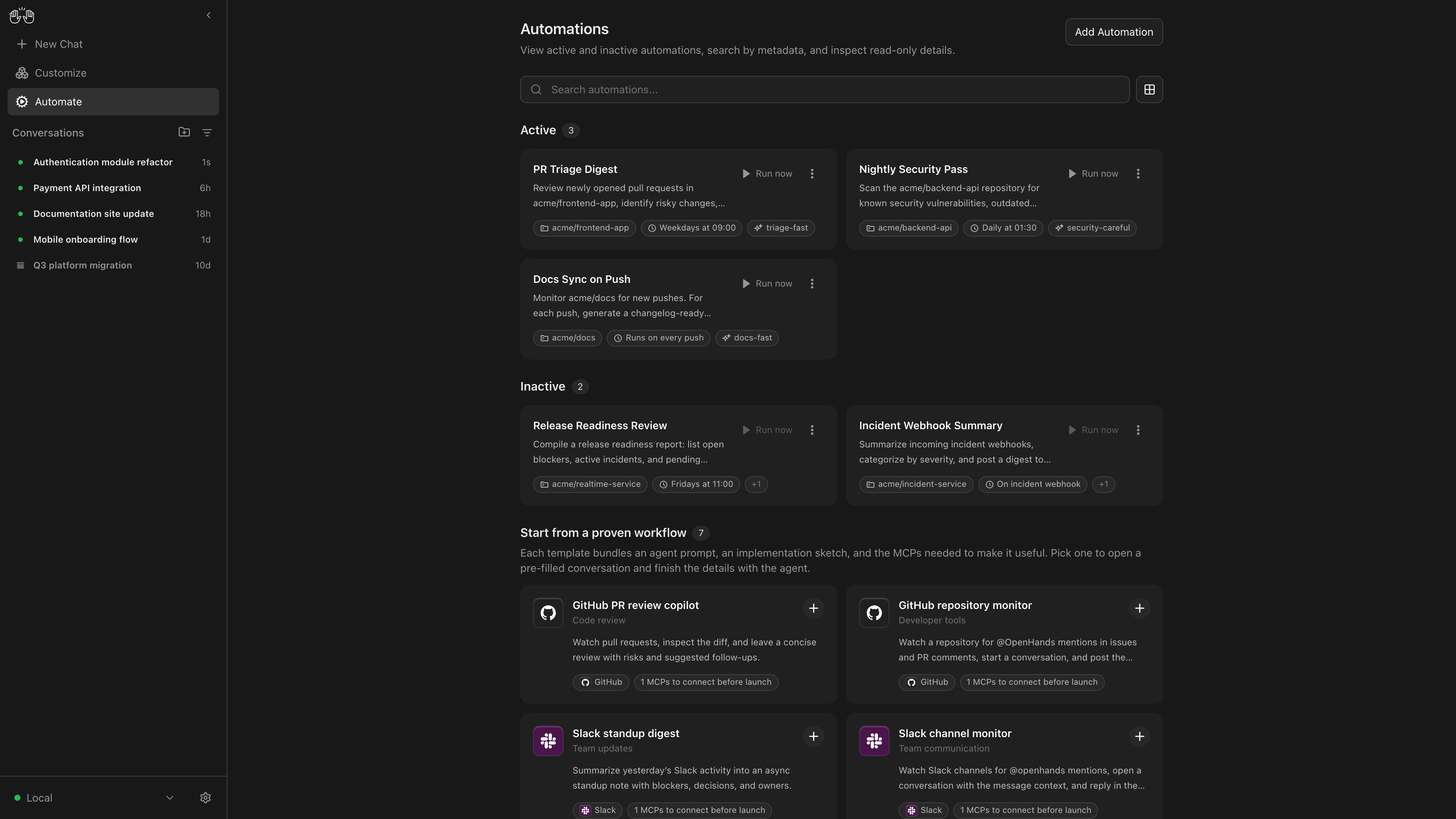
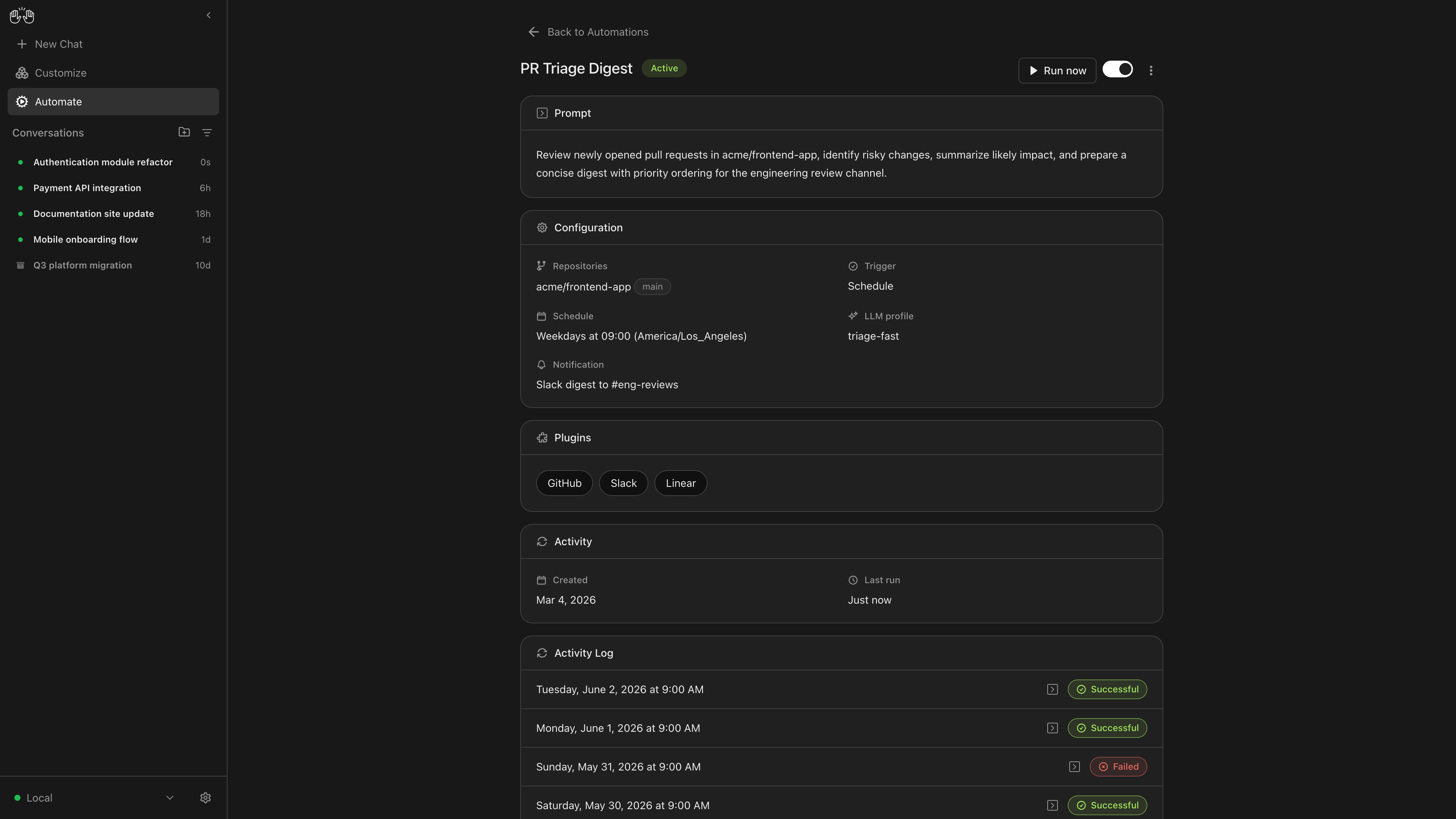
Use Agent Canvas in Slack, GitHub, or build your own cron, polling, and event-driven automations.
Connects to Claude Code, Codex, or any ACP-compatible harness. Keep your existing subscription and model.
Previously: a new container per conversation. Now: a single agent-server on your laptop, or anywhere you run agents. Docker is supported, but optional.
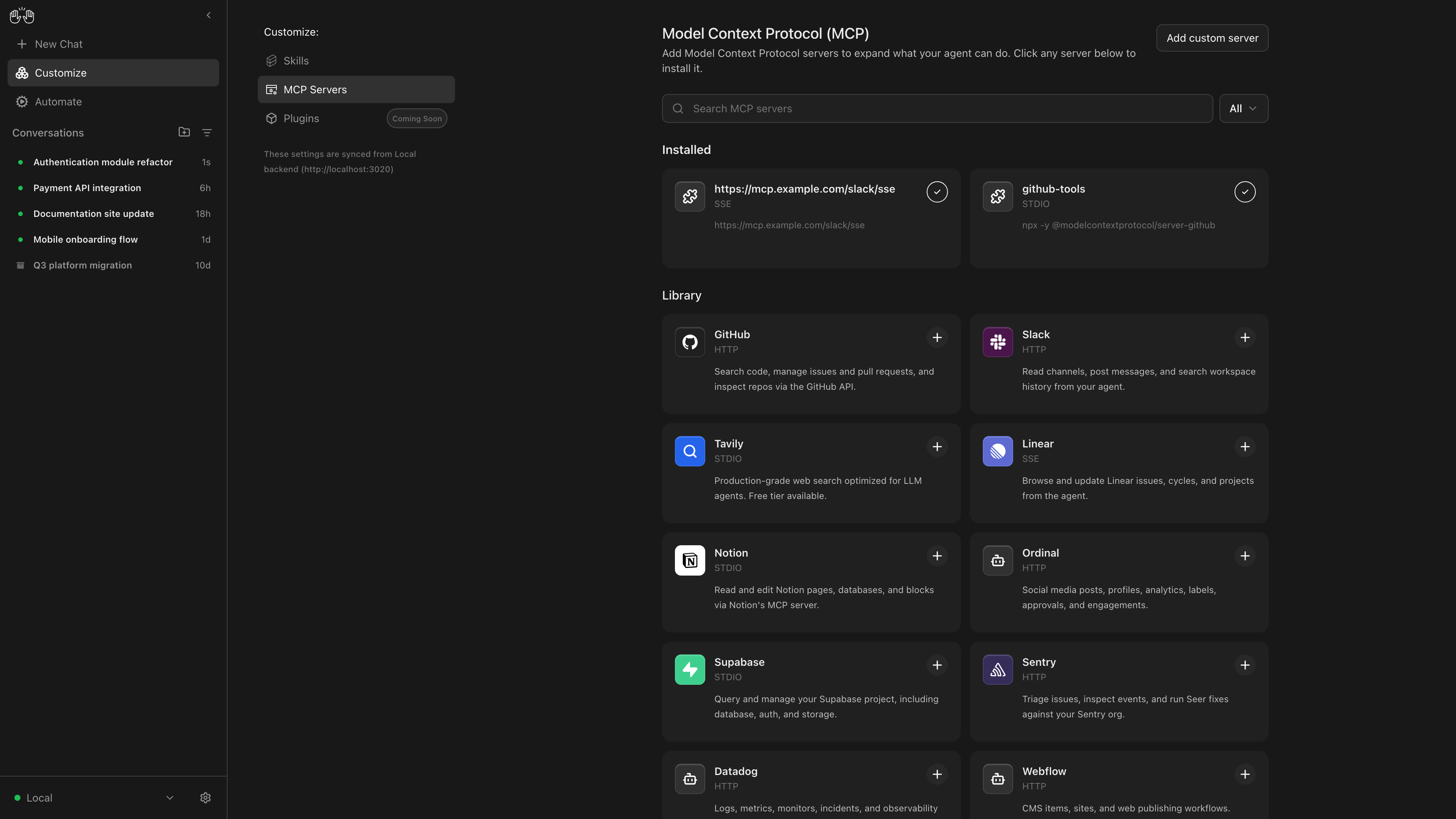
Local machine, remote VM, or OpenHands Cloud, switch backends from the header without touching your config.
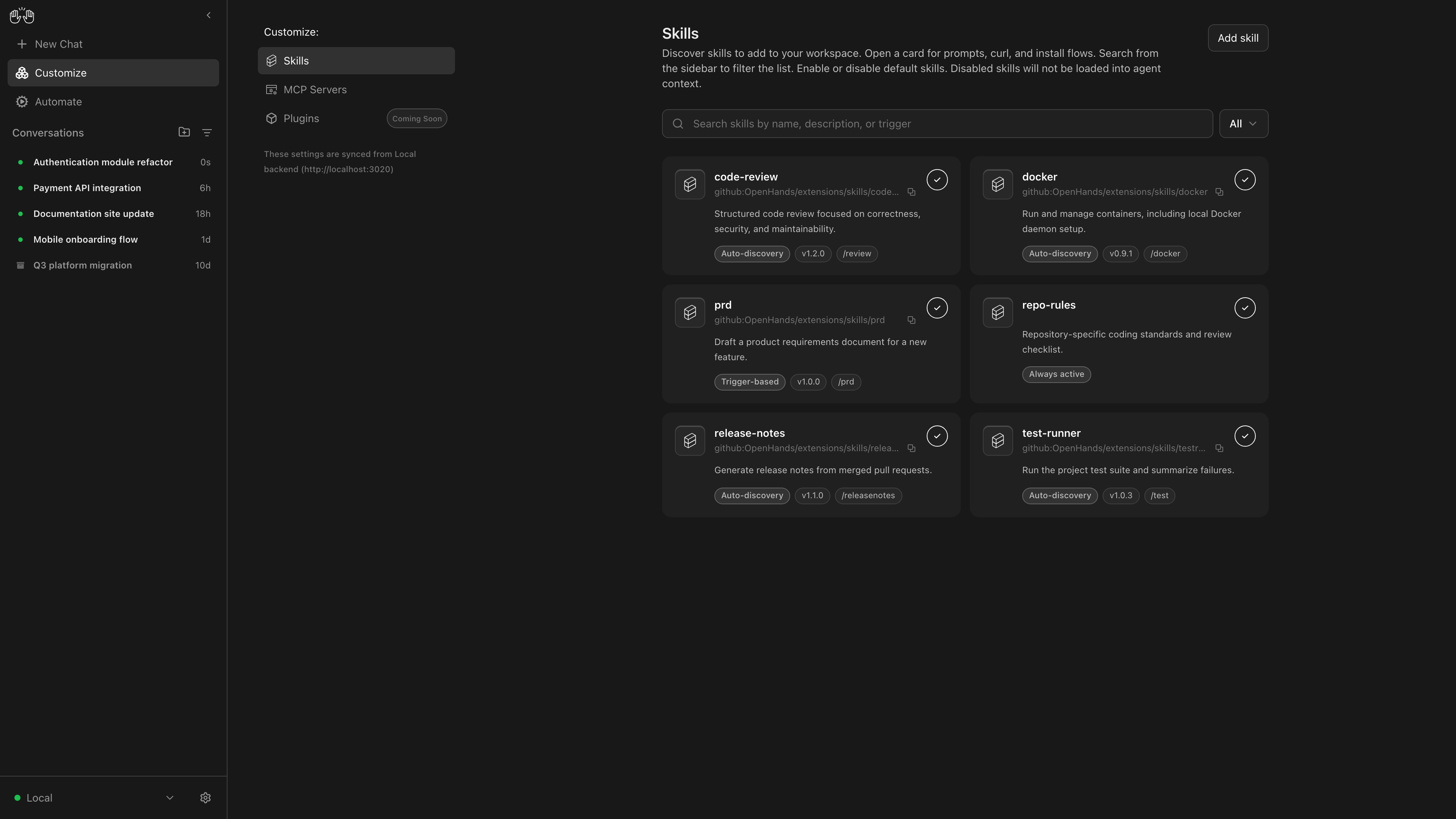
Agent Canvas ships with a library of MCP connections, Agent Skills, and support for your own custom additions. Fully open source.
Agent Client Protocol
Agent Canvas connects to different agent harnesses through the open Agent Client Protocol (ACP). That means you keep your existing subscriptions, your familiar model, your existing workflows, and get everything those tools can't do natively.
ACP is an open protocol. Any agent harness that implements it can connect to Agent Canvas. If you're building a harness, read the spec →
Where your agents run
Your choice at every step. Agent Canvas starts on your laptop, but the execution environment can live anywhere. The interface never changes, you just unlock more backends as you scale.
Start here
Run the agent-server directly on your laptop. The default starting point for every developer.
Scale up
Connect Agent Canvas to an agent-server running on a remote VM.
Go always-on
Always-on cloud agents in isolated sandboxes. Same Agent Canvas interface.
Get started
No Docker. No complex setup. Download the app, connect the agent you already use, and start.
Install on your laptop (macOS, Linux, or Windows). The agent-server runs directly on your machine. No Docker required.
Use the connection wizard to hook up Claude Code, Codex, or the OpenHands harness via ACP. Your subscription. Your model. Nothing changes.
Works with any ACP-compatible harness
Set up a GitHub webhook or Monday morning cron. Your agent handles it while you focus on something harder.
Runs on local, VM, or cloud backend
Agent Canvas is step one. When you're ready, scale into Teams, Enterprise, or build custom agents with the SDK.



