OpenHands in September: Scoped Agents, Isolated Runtimes, Persistent Workflows

Written by
Devin Vinson
Published on
September was about connecting more of the development loop in Agent Canvas. Software development is rarely one task for one agent: an issue needs to be understood before code gets written, the implementation needs somewhere safe to run, and the resulting pull request needs review. That feedback may then send the work back for another pass.
Across eight releases, from v1.17.0 through v1.24.0, we connected more of those steps. Agent Profiles can now control the tools and secrets available to an agent, automations can run with those profiles, and Docker runtimes give agents isolated workspaces to execute in. We also made automations easier to manage, Apps easier to use, and conversations easier to organize.
Put together, these changes make Agent Canvas a stronger foundation for building a software factory around the development process you already use.
Automation updates to build your own software factory
A development loop can begin with an incoming GitHub issue and continue through triage, implementation, and review. September brought specific updates to each step in the OpenHands Automation Template library:
-
Issue Triage: A new independent GitHub issue triage workflow checks whether an issue is ready for development. Later updates added acceptance-criteria checks and maintenance, so the triage agent can help improve the issue before work starts.
-
Issue to PR: The issue-to-PR workflow can delegate ready issues to stable agent conversations. As an issue changes, related work can return to the same developer conversation instead of starting over.
-
PR Review: Review work can also continue in a conversation tied to the pull request. September added a scope check and maintainer handoff, plus checks against the PR's exact head commit before launching a review agent. Those checks help keep feedback aligned with the code currently under review.
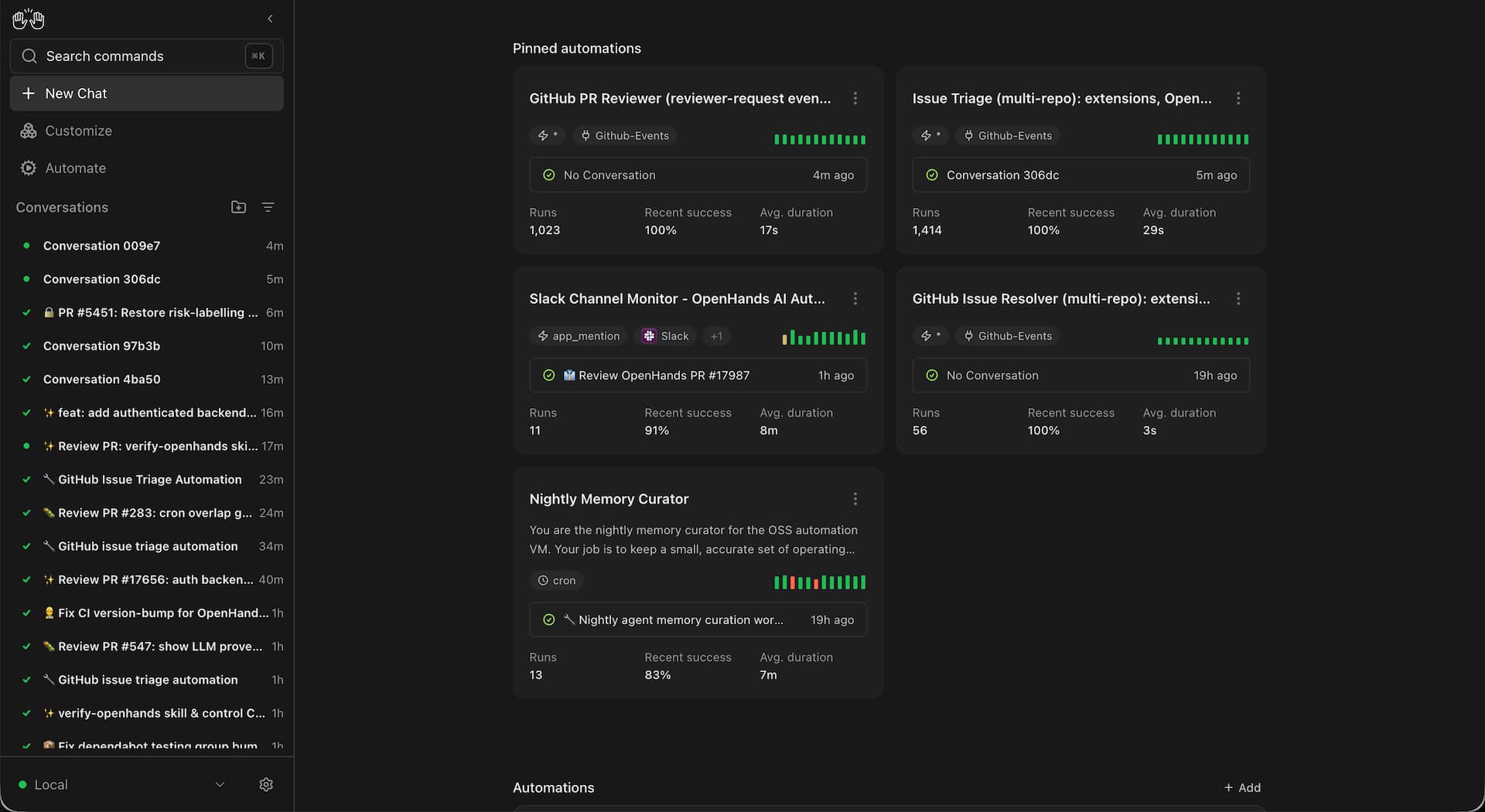
Issue → Triage → Development → Pull Request → Review → Follow-up
Agent Canvas made the roles easier to configure and the automations themselves harder to break silently:
-
v1.18.0 surfaced which identity an automation runs as, so a reviewer agent acting on your team's behalf is never ambiguous.
-
v1.19.0 added structured disablement reasons with a timestamp on the automation detail page, so when an automation is turned off, manually or after repeated dispatch failures, it's clear why and when.
-
As of v1.20.0, you can select a saved Agent Profile for an automation. So a triage agent can have issue access, a developer agent can have repository write access, and a reviewer can get the tools needed to inspect code, each scoped to the MCP servers and secrets its job requires.
These stable conversations, scoped profiles, and clearer ownership make follow-up work more useful: an issue update or new review request can reach an agent with the earlier context, run with the right permissions, and fail loudly instead of quietly.
You choose the issue-to-PR automation template that fits your team, define what “ready” means for your issues, and set the review rules that matter for your repository.
Shape Agent Profiles around the work ahead
Agent Profiles let you define how an agent should work before you even give it a task. You should be able to control which tools the agent can use, the MCP servers it can access, and which secrets or credentials are available to it.
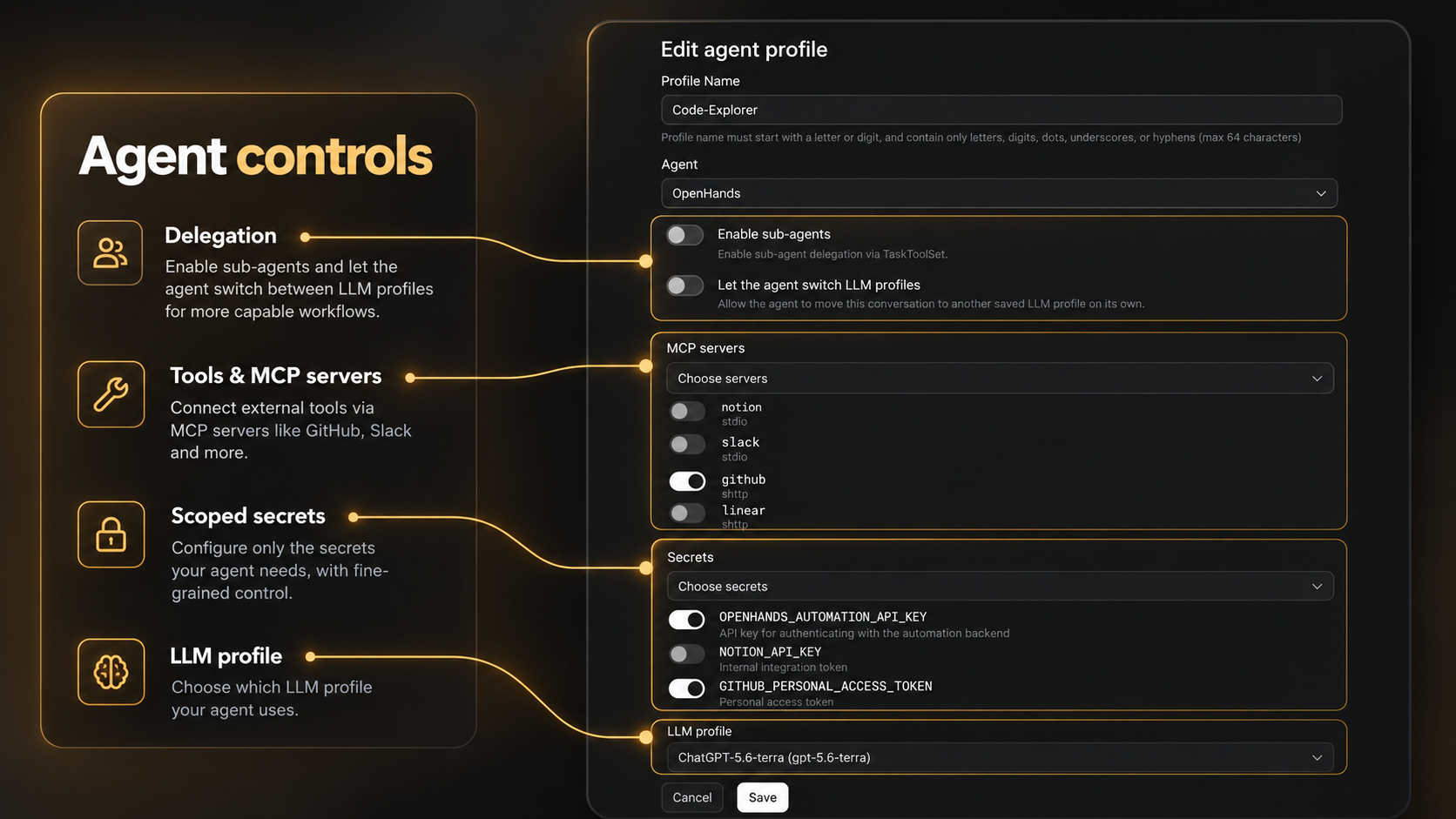
September added more control over those boundaries, making it easier to create profiles around specific jobs. A triage agent may only need access to GitHub issues, while a development agent needs repository access and the tools required to build and test.
Profiles answer what an agent is there to do and what it may use. The next question is where that work happens.
Run Agent Canvas and its agents with stronger isolation
September also introduced a new dedicated Docker conversation runtime, giving each conversation its own isolated container. Agents can work in parallel without sharing an execution environment, which is especially useful when triaging external bug reports, testing changes, or running agent-generated pull requests side by side.
Across v1.20.0 and v1.21.0, we connected the pieces needed to make that work locally. Agent Canvas can now pass Docker runtime settings through to the bundled Agent Server, request dedicated execution workspaces for conversations, and make host services available inside those containers when agents need them to run or test your code. The result is a Docker runtime you can enable with a single environment variable while Agent Server handles the execution boundaries underneath it.
Automations turn the steps in your software factory into repeatable loops, Docker keeps each conversation isolated, and Automation Templates make those workflows easy to put into practice.
Docker is our first major step toward giving each agent a clearer place to work. We are also working with the community to explore other container options, so teams can choose isolation that fits their infrastructure. If you have requirements or experience to share, join the OpenHands community or contribute on GitHub.
Build interfaces around your agent workflows
August introduced Apps in beta, giving you a way to extend Agent Canvas with integrated single page apps. September made those Apps easier to install and gave agents better guidance for building them.
Sharing an App from version control is now easier: you can paste a repository folder URL from GitHub, GitLab, Bitbucket, Gitea, or Forgejo into Apps, and Canvas fills in the source, revision, and path. v1.21.0 specifically extended this to accept GitHub tree URLs (the links you get by browsing to a folder on github.com) as a valid App source, so you can copy a link straight from your browser instead of constructing one by hand. That makes a working App easier to share with another person.
For example, you can ask an agent to build A Kanban board For agent workflows, then run that App directly inside Agent Canvas.
<iframe width="560" height="315" src="https://www.youtube.com/embed/M2Qnz-cqARU?si=ZItEC1dkYXvn2EPq" title="YouTube video player" frameborder="0" allow="accelerometer; autoplay; clipboard-write; encrypted-media; gyroscope; picture-in-picture; web-share" referrerpolicy="strict-origin-when-cross-origin" allowfullscreen></iframe>
Additional September updates
-
Switch between Plan Mode
/planand back/codewith ease. -
New Light+ and Solarized Light themes (v1.23.0).
-
Conversation tags and visible tag chips help organize work, with filters for tags and automation names (v1.17.0); a later fix made sure the tag's key, not just its value, shows in sidebar chips (v1.23.0).
-
One-click collapse or expand all visible workspace folders at once from the Conversations header (v1.24.0).
-
Image attachments can expand to full size with a click (v1.18.0), and historical local conversations that can no longer resume remain available as archived history (v1.21.0).
Across Agent Canvas v1.17.0 through v1.24.0, the September releases also included 64 bug fixes.
Thank you for building with us!
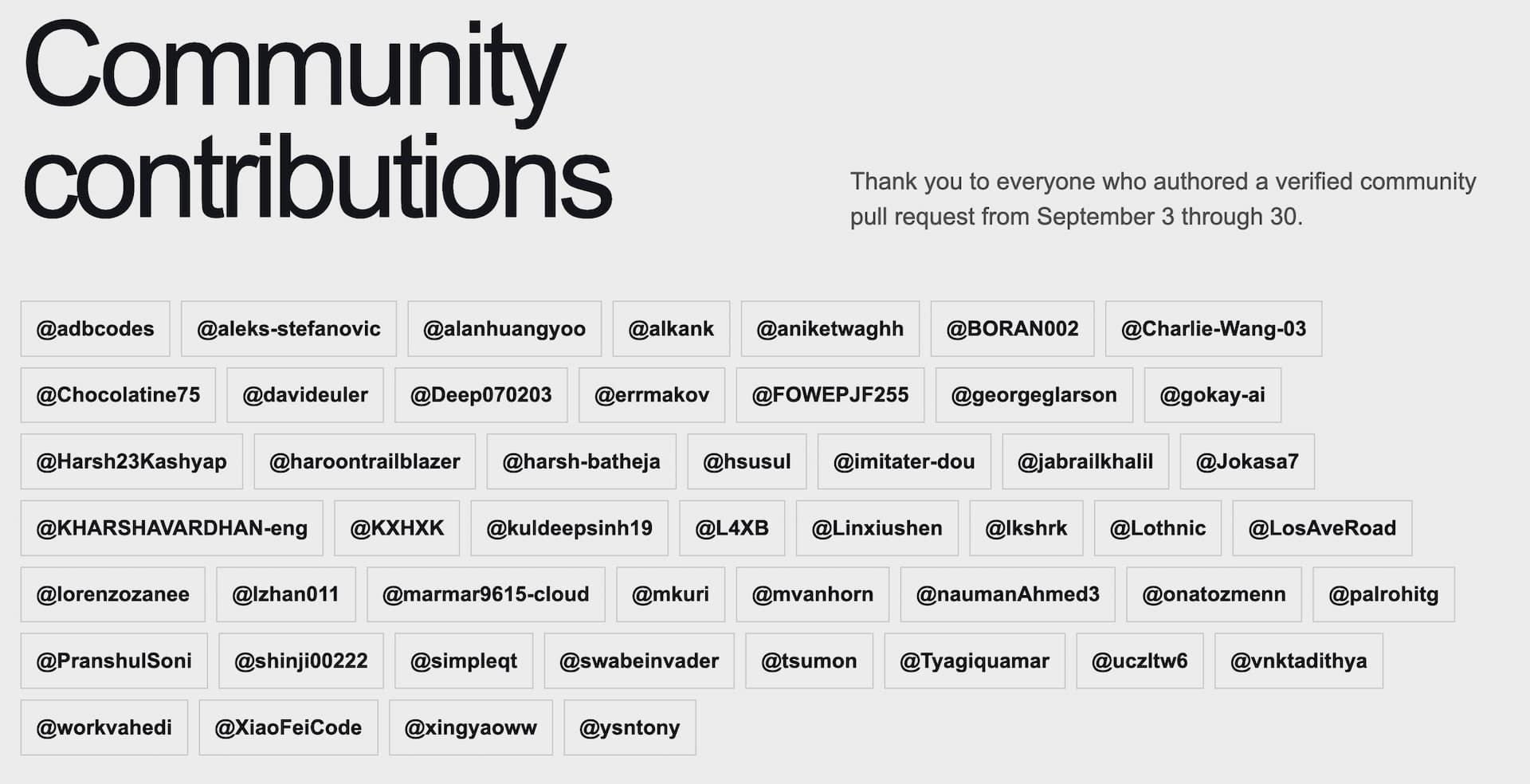
This month’s work was supported by our open source community. We had 49 community contributors with nearly 600 merged pull requests across the OpenHands, Software Agent SDK, Automation, and Extensions repositories. That work led to 94 new features, 165 closed bugs, and 39 total releases.
Install or update Agent Canvas and try building your own workflow that moves from issue triage to implementation to review. For the full details on September releases, read the release notes.

Get useful insights in our blog
Insights and updates from the OpenHands team
Sign up for our newsletter for updates, events, and community insights.
OpenHands is the foundation for secure, transparent, model-agnostic coding agents - empowering every software team to build faster with full control.



