OpenCode vs OpenHands: AI Coding Agents Compared
Written by
OpenHands Team
Published on
You already run a coding agent from your terminal, and it does good work while you sit there prompting it. The question that pushes people toward OpenCode vs OpenHands is what happens to that work once you close the laptop, hand it to a teammate, or point it at a hundred repositories at once.
OpenCode and OpenHands both start from an open-source, bring-your-own-model foundation, so the split is not open versus closed. OpenCode is the open terminal agent for interactive coding, tuned for fast, hands-on sessions in the inner loop. OpenHands is the open platform for turning agent work into repeatable, governed workflows across local, cloud, and self-hosted environments, the interface, automations, and control layer for artificial intelligence (AI) coding agents that scale from one local agent to a whole engineering organization. This guide covers how the two compare on the seven features that decide the choice, each tool's strengths and trade-offs, and when running both together makes sense.
What is OpenCode?
OpenCode is a terminal-first, open-source coding agent that keeps the work close to your hands, which is what it's optimized for. Its TypeScript codebase built on Bun, shown in the live repository on GitHub, is structured as a client and server so the agent can run on one machine while you drive it from another.
Key features:
-
Interface and architecture: OpenCode runs in the terminal, with a desktop app and an IDE extension alongside it, and its client-server split lets the agent execute remotely while you keep the interface local.
-
Model flexibility: The tool connects to 75+ providers through Models.dev, supports local models through Ollama, and passes through subscriptions like GitHub Copilot, so you point it at whatever provider you already pay for.
-
Execution local vs cloud: OpenCode is local-first and does not store your code or context data by design, though its optional /share feature can send conversation data to opencode.ai-hosted pages, so disable it if conversations must stay in your environment, and running a local model keeps every call on your own machine.
-
Autonomy and workflow: OpenCode is agentic by default with a read-only plan mode, and its general agent runs multi-step work inside a session you supervise, reacting to LSP diagnostics when an edit breaks the build.
-
Team control: OpenCode's documented enterprise setup covers central config, SSO, an internal AI gateway, disabling outside providers, code ownership, and per-seat pricing, rather than a full RBAC and audit layer.
-
Cost and pricing: The tool is free and MIT licensed, and model spend flows through your own provider account with no platform subscription in between.
Pros:
-
Tight terminal loop: OpenCode gives developers direct control and fast iteration, with LSP feedback landing right after each edit.
-
Broad provider menu: On the terminal side of this comparison, OpenCode offers the wider model selection at 75+ providers plus local models, which suits developers who test models often.
Cons:
-
Lighter team governance: OpenCode's documented enterprise setup covers central config, SSO, an internal AI gateway, and provider controls, but not the RBAC, audit-log, and budget layer a platform team needs across many repositories.
-
Session-centered by design: OpenCode is tuned for interactive work rather than scheduled or event-triggered runs that fan out across repositories on their own.
Best for: Solo developers and small model-agnostic teams who live in the terminal and want maximum provider choice with local-first defaults. It also pairs well with OpenHands for the interactive refinement that follows once a background agent has opened a pull request.
What is OpenHands?
OpenHands is an open-source AI coding agent platform built for the outer loop, where an agent takes a ticket, reads the codebase, edits files, runs tests, and opens a pull request for review without you watching each step. The core is open source, and once your agents move past one developer's laptop, the platform gives you the operational layer a team actually needs to run them.
Key features:
-
Interface and architecture: Agent Canvas is the primary local-first workspace for running agents against real development work, and the same interface connects to a local machine, a VM, OpenHands Cloud, or an enterprise backend.
-
Model flexibility: OpenHands lets you use many models through LiteLLM with your own provider API key, and through ACP, Agent Canvas connects to Claude Code, OpenAI Codex, and Gemini CLI, where each external agent manages its own model, tools, and execution, so a team keeps the agent it already knows.
-
Execution local vs cloud: The open-source release runs locally, and enterprise deployment can run in a customer VPC, with sandboxed execution through Docker locally and controlled runtimes when self-hosted.
-
Autonomy and workflow: Agents finish tasks end to end and return reviewable pull requests, and the platform runs scheduled and event-triggered automations for work like nightly dependency updates or a review on every opened pull request.
-
Team control: The Agent Control Plane adds visibility, access control, audit logs, usage monitoring, and budget enforcement for agents running across many repositories.
-
Cost and pricing: The MIT core is free to self-host, OpenHands Cloud includes a tier that is free within usage limits, and the enterprise control plane is a separate commercial tier.
Pros:
-
Outer-loop coverage: OpenHands handles work that should not depend on a developer watching a terminal, including repeatable fixes, test repair, code review, dependency bumps, and ticket resolution.
-
Governed path to scale: A team starts locally and later adds self-hosting, RBAC, Security Assertion Markup Language (SAML), audit logs, and cost controls through the enterprise layer without changing how the work was built.
Cons:
-
More setup for enterprise deployment: Self-hosting the enterprise tier takes real platform work around Kubernetes, identity, and network boundaries.
-
Control layer sits in enterprise: RBAC, SAML, audit logs, and budget enforcement live in the enterprise tier, not the open-source core.
Best for: Platform engineers and engineering leaders who need agents that move from one laptop to governed, org-wide workflows, and developers who already live in a terminal agent and want to run it through a shared layer.
OpenCode vs OpenHands: the key features compared
The table below uses seven factors to sort out where each tool earns its place. One thing to note is that OpenHands is the platform layer around individual agents, adding the workflows, automations, and governance they lack, while OpenCode lives closest to the developer's inner loop: a terminal-native agent for hands-on coding sessions. OpenHands is the platform layer for turning agent work into repeatable workflows, automations, shared backends, and governed team usage.
| Feature | OpenHands | OpenCode |
|---|---|---|
| Interface and architecture | Agent Canvas, a web graphical user interface (GUI), a command-line interface (CLI), and a software development kit (SDK) | Terminal text interface, a desktop app, and an integrated development environment (IDE) extension |
| Model flexibility | Broad model coverage through LiteLLM, plus other agent harnesses through the Agent Client Protocol (ACP) | 75+ providers through Models.dev, bring-your-own-key (BYOK), and local models |
| Execution local vs cloud | Local, cloud, virtual machine (VM), and self-hosted virtual private cloud (VPC) paths | Local-first client and server model |
| Autonomy and workflow | End-to-end task completion, scheduled runs, event triggers, and reviewable pull requests | Supervised agentic sessions with Language Server Protocol (LSP) feedback and a read-only plan mode |
| Team control | Role-based access control (RBAC), audit logs, and budgets in the enterprise layer | Central config, SSO, an internal AI gateway, and provider controls, without a full RBAC and audit layer |
| Cost and pricing | Free MIT core, a cloud tier free within usage limits, and a commercial enterprise tier | Free tool, with model spend flowing through your own provider keys |
| Licensing | Open source, MIT core | Open source, MIT |
Interface and architecture
OpenCode feels closest to a terminal pair programmer. You open a session, describe the work, watch changes land, and keep LSP diagnostics in the loop so the agent reacts when an edit breaks a build. A desktop app and an IDE extension sit alongside the terminal, and the client-server split lets the agent execute remotely while you keep the interface local.
OpenHands gives you more surfaces because the job is broader. Agent Canvas, the web GUI, the CLI, and the OpenHands SDK all treat agents as repeatable systems rather than one-off chats, and the same interface reaches a local machine, a VM, OpenHands Cloud, or an enterprise backend, so the workspace you learn on one machine follows the work as it spreads.
Model flexibility
OpenCode connects to 75+ providers through Models.dev, supports local models through Ollama, and passes through subscriptions like GitHub Copilot. That menu makes it strong for a developer who swaps models constantly from the command line.
OpenHands approaches model flexibility differently. Through LiteLLM, teams can use supported models with their own provider API keys. Through ACP, Agent Canvas connects to external agents such as Claude Code, Codex, or Gemini CLI, where each external agent keeps managing its own model, tools, and execution. The value is not just provider count, it is the ability to bring model and agent choice into repeatable team workflows.
Execution local vs cloud
OpenCode is local-first and does not store your code or context data by default; processing happens locally or through direct API calls to the model provider you configure. Teams should disable optional sharing features if they need to ensure conversation data never leaves their environment.
OpenHands spans local, cloud, a remote VM, and self-hosted enterprise deployment inside a VPC, with Docker sandboxes locally and controlled runtimes when self-hosted. The bridge is what you are buying, since the same interface keeps a job running after you close your laptop or moves it into a controlled VPC with audit trails.
Autonomy and workflow
OpenCode is agentic inside a session you supervise. Its general agent runs multi-step work with a read-only plan mode, and it stays low-friction across edits because you are at the keyboard the whole time, which is exactly right when the work belongs in the inner loop.
OpenHands is built around delegated, outer-loop work, where agents finish tasks end to end and return reviewable pull requests, with scheduled and event-triggered automations for jobs like nightly dependency updates or a review on every opened pull request. Flextract's own agents autonomously fix 87% of its bug tickets the same day, a result its chief technology officer (CTO) Nick Blanchet shares on the OpenHands homepage, and that figure is Flextract's internal outcome rather than an industry benchmark.
Team control
OpenCode covers the small-team case with central config and SSO in its documented enterprise setup. You own the provider relationship, and the tool stays close to your terminal.
OpenHands adds team-level control once agent use spreads past a few people. The Agent Control Plane brings RBAC, Security Assertion Markup Language (SAML), audit logs, usage monitoring, and budget enforcement, and those controls live in the enterprise tier rather than the open-source core, so a team starts light and adds governance when scale calls for it.
Cost and pricing
OpenCode is free to use, and your only real bill is model spend, which flows through the provider keys you bring. No platform subscription sits between you and the provider.
OpenHands prices by layer rather than by tool. The MIT core is free to self-host, OpenHands Cloud includes a tier that is free within usage limits, and the enterprise control plane is a separate commercial tier, so what you pay tracks how much hosted execution and governance you take on.
Licensing
Both tools ship MIT-licensed open-source cores, so licensing is a smaller dividing line than some comparisons suggest. OpenCode is MIT end to end, which fits its single-workflow scope and keeps the whole thing free to run on your own terms.
OpenHands keeps an MIT open-source core too, with a separate commercial enterprise tier layered on top for the governance and self-hosting a company needs. What you are weighing sits above that shared open core rather than inside it.
How to choose for your workflow
You want to match the tool to where your work actually runs, and the same seven dimensions give you a way to do that in order. Choose OpenCode for work that belongs in a terminal session with LSP feedback, when provider switching is mostly an individual concern, when execution should stay local-first on your own machine, when you want supervised multi-step edits, and when your only bill should be the model spend behind your own keys. Choose OpenHands when work needs a visual workspace, SDK access, or a shared agent layer, when model choice has to sit inside team workflows and ACP harnesses, when agents need to move from a laptop to OpenHands Cloud, a VM, or a self-hosted VPC, when you want scheduled work, event triggers, and pull requests that run without a developer at the keyboard, and when a platform, security, or compliance team needs RBAC, SAML, audit logs, and budget controls.
The two are not mutually exclusive. OpenHands can own the background workflow and open a pull request, while OpenCode handles the local debugging and refinement that follows.
Where OpenHands fits
OpenHands fits when agent work needs to move beyond one developer’s terminal session. OpenCode can remain the inner-loop agent developers use for hands-on coding, debugging, and local refinement. OpenHands becomes relevant when those workflows need to become repeatable, observable, self-hosted, or governed across teams.
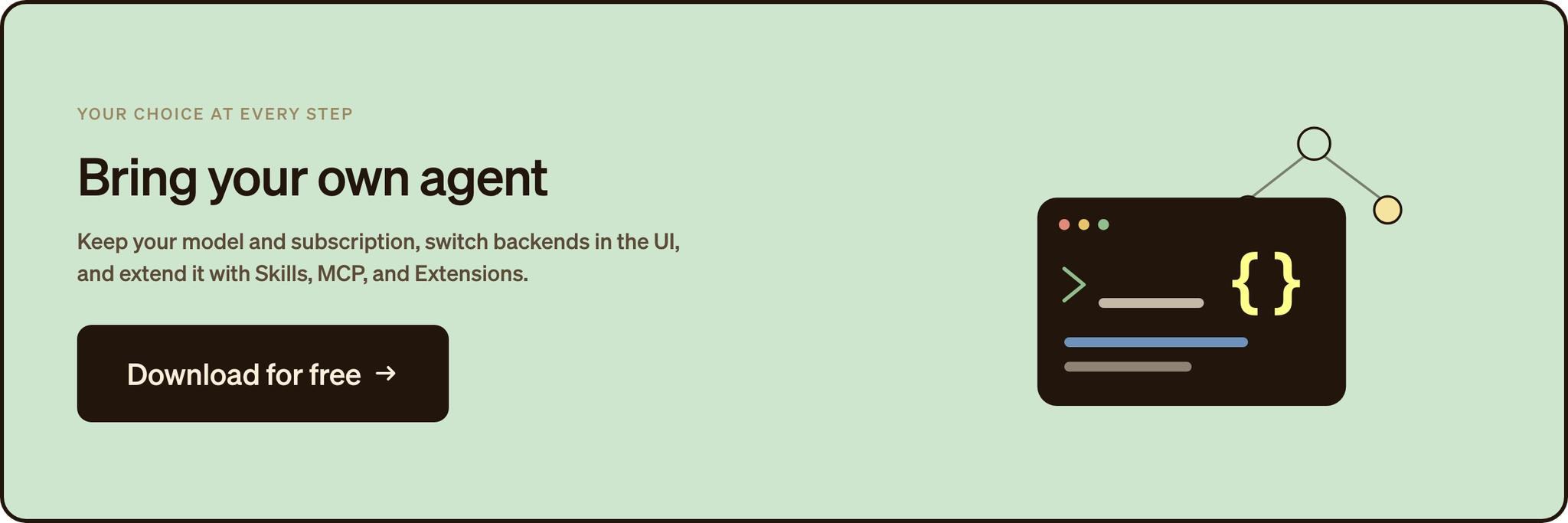
The starting point is Agent Canvas, OpenHands’ local-first workspace for running agent sessions, inspecting conversations, managing files and terminal output, and turning useful patterns into automations. Developers can start locally, then move workflows to a remote VM, OpenHands Cloud, or a self-hosted backend when they need persistence, isolation, or team access.
OpenHands can also connect to ACP-compatible external agents through Agent Canvas. In that setup, the external agent continues to manage its own model, tools, authentication, and execution, while OpenHands provides the workspace and platform layer around the workflow.
That distinction matters for platform teams. The question is no longer only whether an agent can help one developer. It becomes: who can run agents, what can they access, what did they change, what did it cost, and how can the organization review or govern that work?
Make the right agent choice
OpenCode is the better fit when your main workflow is interactive coding in the terminal and you want the widest model menu with local-first defaults. OpenHands is the better fit when you want agents working across repositories, running after your laptop closes, and under the controls a platform team needs to trust that work. If your team is moving from one-off agent sessions to repeatable, governed workflows, deploy OpenHands for your team on the path that fits your stack.
Frequently asked questions about OpenCode vs OpenHands
Are OpenCode and OpenHands free and open source?
Both ship MIT-licensed open-source cores, so the license is not the deciding factor. OpenCode stays a BYOK terminal workflow, and OpenHands keeps an open core with a separate commercial enterprise tier layered on top for governance. The three deployment paths are covered on the OpenHands pricing page.
What is the main difference between OpenCode and OpenHands?
OpenCode is a supervised terminal agent for the inner loop, and OpenHands is a platform for outer-loop work that runs on a schedule or in response to events. With asynchronous engineering agents, you go from prompting an agent by hand to having one kick off on its own whenever a pull request opens.
Can OpenHands run other coding agents?
Yes. Through ACP, Agent Canvas connects to Claude Code, OpenAI Codex, and Gemini CLI, and each external agent keeps managing its own model, tools, and execution. The ACP guide in the docs covers how the connection works, so your team keeps familiar tools and adds a shared workspace.
Which tool is better for a team or enterprise?
For a governed team rollout, OpenHands is the stronger fit because it adds the control layer around agent work. The OpenHands enterprise docs cover RBAC, SAML, audit logs, budget enforcement, and self-hosted deployment. OpenCode's documented setup covers central config, SSO, an internal AI gateway, and provider controls, without a full RBAC and audit layer.
About OpenHands
OpenHands is the open-source platform for building and running AI coding agents, with the interface, automations, and control layer needed to go from a single local agent to a system running across an entire organization. The mission is to make agent-based software development accessible, transparent, and controllable by default. That starts in the open. The core framework is open source, giving developers and platform teams full visibility into how agents execute work and interact with their systems. The project has over 80,000 GitHub stars, 9 million downloads, and contributions from hundreds of developers. OpenHands is used by engineers at large enterprises and fast-growing startups to build, run, and scale AI coding agents across real software engineering workflows. The long-term vision is to become the full stack AI coding agent platform for software engineering. Not just helping developers write code, but running meaningful parts of the software lifecycle.

Get useful insights in our blog
Insights and updates from the OpenHands team
Sign up for our newsletter for updates, events, and community insights.
OpenHands is the foundation for secure, transparent, model-agnostic coding agents - empowering every software team to build faster with full control.



